Winamax Mobile App: iPhone and Android Install Guide (2026)
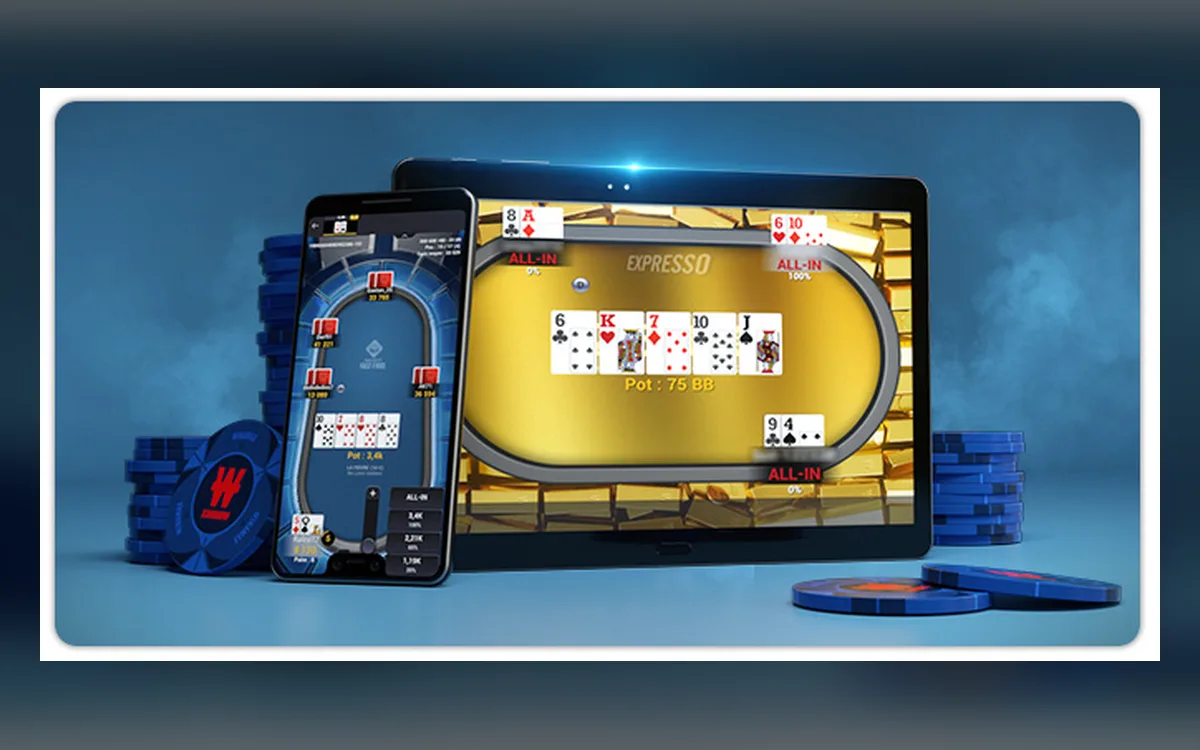
Winamax’s mobile app is one of the most complete in regulated poker: Expresso, Space KO, cash and tournaments all fit on a phone. On iPhone it is a combined poker and sports betting app, and on Android you can install it from Google Play or the official site. Here is how to set it up and use it well.

What the app includes
The iOS app is listed as Winamax Paris Sportifs & Poker, so betting and poker live side by side under one account and one balance. In the poker section you get cash games, Sit & Gos, multi-table tournaments in Hold’em and Omaha, Expresso and Space KO, plus free tournaments and play-money tables.
Your account, balance, tickets and loyalty progress are shared with the desktop client, so you can register for a tournament at home and finish it on the phone.
Getting the app on iPhone and iPad
Download the app from the App Store under the Winamax developer name; it requires iOS or iPadOS 13 or later. The full app is large, so make sure there is enough free space before you start.
Availability in a given App Store depends on the country of your Apple ID, and the poker product is aimed at players who are eligible on the French or Spanish sites. If the app does not appear in your store, use the link from the official site rather than any copy from elsewhere.
Installing on Android
Android 8 or later is required. Google Play is the recommended route where it is offered:
- 1Search for Winamax in Google Play, or open the Android page of the official site, which links to the store.
- 2If Play is not an option, download the installation file offered on that official page.
- 3For the direct file, allow installs from unknown sources for your browser only, and switch it off again afterwards.
- 4If you previously used the direct-download version, uninstall it before installing from Google Play.
- 5Open the app, log in with your existing account and enable a screen lock on the phone.
Multi-tabling and comfort
The app lets you sit at up to four tables at once and switch between them with a swipe. That is plenty for a tournament and an Expresso side by side, though serious multi-tabling still belongs on a computer, where trackers also run.
For long sessions, use landscape mode on a tablet, mute promotional notifications you do not need and keep the phone charging during the late stages of a big tournament.
Connection on the move
A short loss of signal is the main risk on mobile data. In tournaments you are only blinded until the app reconnects, but in a fast Expresso a few lost seconds can decide the game, so play those on a stable connection.
Remember that the location rules apply to the phone too. Opening the app abroad in a restricted country, or through a VPN, puts the account at risk.
Keep the app under control
Having poker and betting in your pocket makes it easy to play more than planned. Deposit limits, session reminders and self-exclusion are available in the app’s account settings, and on the French app the responsible gaming notice also points to a national helpline.
FAQ
01Is the Winamax poker app separate from the betting app?
On iPhone it is one combined app with poker and sports betting. Your balance and account are the same in both sections.
02How many tables can I play on my phone?
Up to four at once. For heavier multi-tabling or tracker use, switch to the desktop client.
03Why does Google Play refuse to install over my current Winamax app?
You probably have the version from the direct download. Uninstall it first, then install the Play Store version and log in again.
More Winamax guides
 How to Register on Winamax: Sign-Up in France and Spain (2026)Winamax is a locally licensed room, so signing up feels more like opening a regulated account than creating a game profile. The form asks for real personal data, a limit on your deposits and, shortly afterwards, documents. Here is what to expect and how to avoid the classic beginner mistakes.Read the guide
  How to Deposit on Winamax: Methods, Limits and Welcome Offer (2026)Topping up a Winamax balance is quick, but it happens inside a regulated framework: euros only, payment instruments in your own name and deposit limits you agreed to at sign-up. This guide explains the cashier, the methods you are likely to see and how the first deposit triggers the welcome offer.Read the guide
  How to Withdraw from Winamax: Bank Transfer, Timing, Checks (2026)Cashing out from Winamax is simple once the account is fully validated, and much slower if it is not. Payouts go mainly by bank transfer to an account in your name, so the real work happens before you press the button. Here is the process and the reasons a request can get stuck.Read the guide
  Winamax Account Verification: Documents and Upload Tips (2026)Under the French and Spanish licences, verification is not an occasional check but part of opening the account. Until it is done you can play on a provisional basis, yet you cannot withdraw. This guide lists the documents, shows how to upload them cleanly and explains when Winamax may ask again.Read the guide
  Winamax Not Working? Client, Connection and Login Fixes (2026)The Winamax client is polished and usually trouble-free, so when it fails the cause is often local: security software, an outdated build or a network that drops packets. Work through the checks below before writing to support. One warning up front: some tools that look harmless are banned by the room’s rules.Read the guide
  Winamax Game Formats: Expresso, Space KO, Cash and MTTs (2026)Winamax built its reputation on formats you will not find elsewhere in the same form. Expresso and Space KO are the signature products, but the huge French and Spanish tournament fields are what put the room near the top of worldwide traffic rankings. Here is how each part of the lobby works.Read the guide